01What counts as a character
A character is any letter, digit, space or punctuation mark in the text the voice reads. The reading text is made of paragraphs, headings, lists and quotes. Pricing counts an article as 5,000 characters, and what audio for articles costs shows what that means in a month.
These do not count: the post title, captions, embeds, code blocks, emoji, and any block you mark with the class readerr-skip. How to exclude blocks from the audio shows how to leave a block out.
Readerr counts the text as you wrote it, not the longer version the voice speaks. A number like 1,250 counts as five characters, even though the voice says it in words.
02When characters are used
Characters are used each time audio is made for a post, including when you make it again. New audio after an edit, or after a voice change, uses the post's characters in full again, not only the part that changed. The same text made twice counts twice.
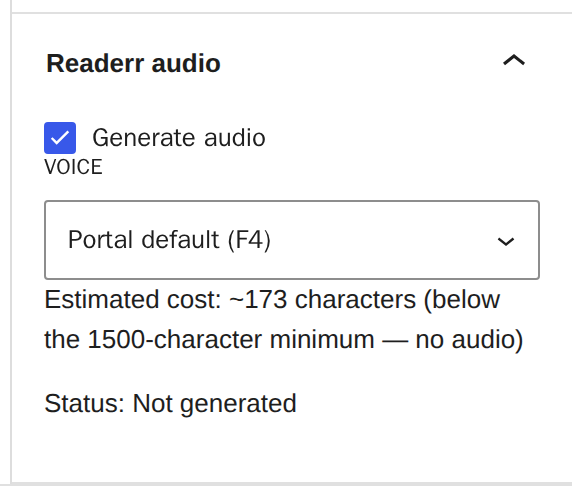
A post shorter than the Minimum length setting is not sent at all and costs nothing. The default is 1,500 characters. You can change it in Settings, Readerr.
A post longer than 40,000 characters gets no audio and costs nothing. The editor shows "Text too long - no audio". Split a longer text into parts.
03Where you see your characters
You can check your use in three places.
In WordPress. At the top of Settings and Readerr, a line reads "Used X of Y characters" with the dates of the period.

In the post editor. The Readerr audio panel shows Estimated cost before you save, so you know what a post will use.
In the customer panel. On the Overview page, on a paid plan, Characters this month shows what is used, when it resets and a forecast to the end of the month. On a trial, the Characters box shows how many of 25,000 are used. The Sites page shows what each site used in the period.
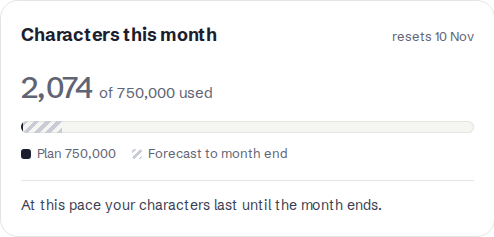
You have one pool for the whole account, shared by all your sites. The period is monthly, and it follows the day your trial or plan started, not the calendar month. Yearly plans reset every month too. As of 2026-10 the monthly pools are 25,000 characters for the trial, 100,000 for Start, 750,000 for Portal and 4,000,000 for Newsroom. Pricing has the current plans.
04What happens when the characters run out
When the pool is used up, Readerr refuses new audio and tells WordPress.
- The post publishes as normal, without audio. Its status reads Character limit reached - no audio, with a Choose a plan link.
- Audio that already exists keeps playing.
- Nothing retries by itself. When you add characters or the next period starts, save each waiting post again. The customer panel tells you how many articles are waiting. We do not make them automatically, so you decide what gets spent.
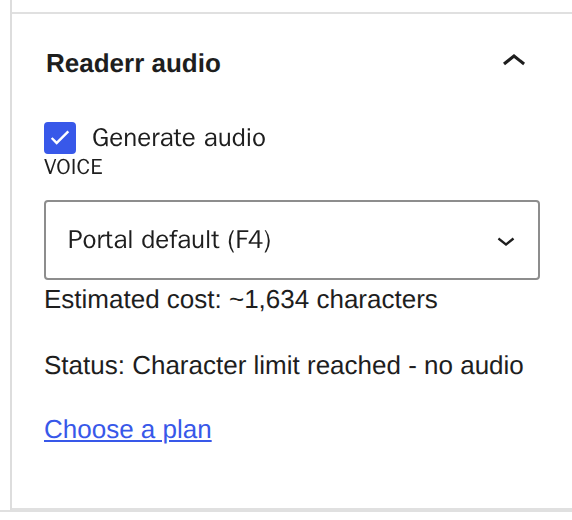
The WordPress status uses the same words when a trial or plan has ended, because the plugin cannot tell the two apart. The customer panel says which one it is. For the end of a trial, see what happens when the trial or plan ends.
05Add more characters
You have three ways to get new audio again:
- Buy a top-up on a paid plan. Open Plan & billing, go to Top-ups and click Buy. As of 2026-10, a top-up is 20,000 characters for 6 EUR, 50,000 for 12 EUR or 100,000 for 20 EUR. It stays available for 30 days from purchase, and what you have not used carries into the next period. Your plan's own characters are used first, then the oldest top-up. Top-ups are not available on a trial.
- Wait for the next period. The pool resets on the date shown in your panel.
- Choose a bigger plan. Open Plan & billing to change plan. Pricing compares them.
After any of these, save the waiting posts again to get their audio. Quick Edit and Bulk Edit can do several at once. Each one uses its own characters, so check your pool first.
06If something goes wrong
The numbers in WordPress and the panel differ. The WordPress line shows the period dates and the panel shows the reset date. Both count the same pool. The estimate in the editor is an estimate, so a post can land a little off.
A post under the limit still has no audio. Check the minimum length and the status. What the audio status means covers each case.
The count is higher than the article looks. Spaces count, and each heading gets a full stop at the end. Mark blocks you do not want read with readerr-skip.